
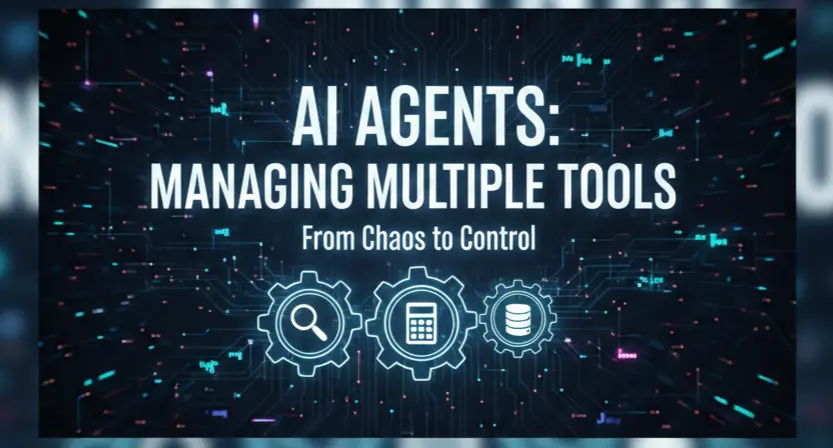
When you first start building AI agents, it feels like magic. You give a model a "search" tool and a "calculator" tool, and suddenly it’s browsing the web and doing math. But as anyone who’s tried to scale this knows, things get messy the moment you go from two tools to twenty.
I’ve spent the last few months wrestling with "tool fatigue" in my own agentic workflows. It’s that frustrating plateau where adding a new capability actually makes the agent dumber because it starts getting confused about which tool to pick.
If you’re hitting that wall, here’s the human-to-human guide on how to actually manage multiple tools without the whole system collapsing into a hallucination-filled mess.
1. The "One Tool, One Job" Rule
We’ve all been tempted to create a "Swiss Army Knife" tool. You know the one, a function called manage_data that handles fetching, updating, deleting, and formatting.
Don't do it. LLMs struggle with ambiguity. When a tool has a vague name and a massive list of optional parameters, the agent starts guessing. I’ve found that it’s much more effective to split these into atomic, "boring" functions: get_user_profile, update_user_email, etc.
The goal is to make the tool’s purpose so obvious that the model couldn't possibly mistake it for something else. If you can’t describe what a tool does in one short sentence, it’s probably doing too much.
2. Descriptions are the New Code
In traditional programming, comments are for humans. In agent development, descriptions are the code. The LLM uses your tool descriptions to decide its next move.
I used to write descriptions like: "This tool fetches weather data." Now, I write them like a manual for a very literal intern: "Use this tool ONLY when the user asks for current temperature or precipitation. It requires a 'city' string. Do not use this for historical weather data."
A few tips for better descriptions:
- Be exclusionary: Tell the agent when not to use it.
- Mention dependencies: "Use this tool after you have retrieved the user_id."
- Format matters: If the tool returns a messy JSON, tell the agent what specific fields to look for.

3. The Orchestrator Pattern (Stop the Tool Bloat)
There’s a phenomenon called "Lost in the Middle." When you give an LLM 50 tools, it tends to pay attention to the first few and the last few, completely ignoring the ones in the middle.
When you reach a certain level of complexity, you have to stop giving one agent all the tools. Instead, use an Orchestrator.
Think of it like a manager at a specialized firm. The Orchestrator doesn't have the "database" tool or the "email" tool. It only has access to Specialist Agents. * User asks: "Find my last invoice and email it to my accountant."
- Orchestrator thinks: "I need the Finance Specialist and the Communication Specialist."
- Action: It routes the sub-tasks to the experts.
This keeps the "context window" clean for each agent. The Finance Agent only sees 3 tools related to billing, so it’s nearly impossible for it to pick the wrong one.
4. Handling Errors Gracefully
Tools fail. APIs go down. The LLM passes a string when the tool expected an integer.
In a human-written system, you don't just throw an error and quit. You give the agent a "feedback loop." If a tool returns an error message, don't just show that to the user. Pass the error back to the agent with a prompt like: "The tool failed because the date format was wrong. Try again using YYYY-MM-DD." It’s honestly impressive how well agents can self-correct if you just give them a clear error message instead of a cryptic 500 Internal Server Error.
5. Testing the "Vibe"
You can't just unit test an agent. You have to "vibe check" it. I usually keep a "Golden Set" of 10–20 complex queries. Every time I add a new tool or tweak a description, I run that set to see if the agent’s reasoning path changed.
Sometimes, adding a search_social_media tool suddenly makes the agent try to use it for everything, even when a simple database lookup would have worked. You only catch that by watching the agent "think."
Final Thoughts
Handling multiple tools isn't really a technical problem, it's a communication problem. You’re essentially writing a job description for a very fast, very literal, and occasionally overconfident coworker. Keep your tools small, your descriptions sharp, and your architecture hierarchical.
Inspire Others – Share Now
Agentic AI Saksham
India’s Only 1st Ever Offline Hands-on program that adds 4 Global Certificates while making you a real engineer who has built their own AI Agents
EV
Saksham
India’s Only 1st Ever Offline Hands-on program that adds 4 Global Certificates while making you a real engineer who has built their own vehicle
Agentic AI LeadCamp
From AI User to AI Agent Builder — Capabl empowers non-coding professionals to ride the AI wave in just 4 days.
Agentic AI MasterCamp
A complete deployment ready program for Developers, Freelancers & Product Managers to be Agentic AI professionals