
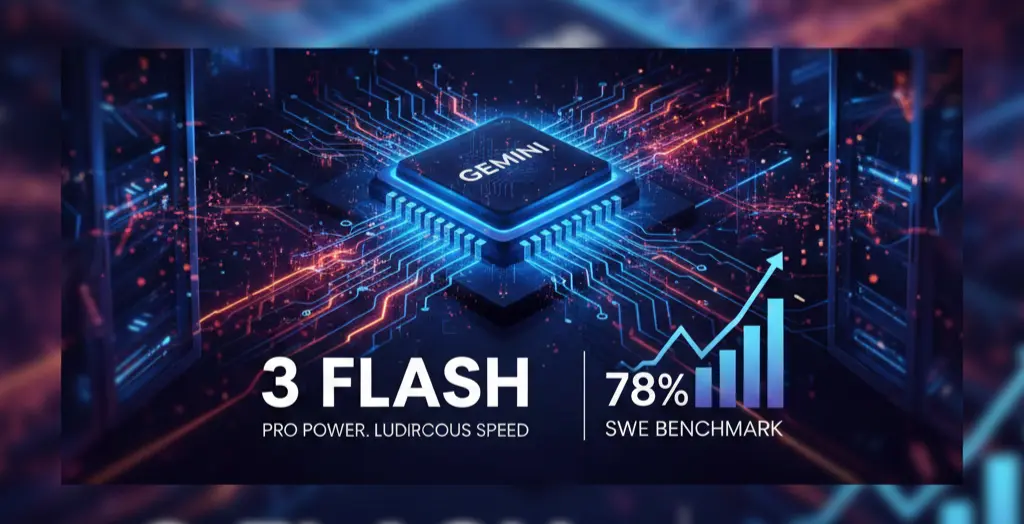
I have been spending quite a bit of time lately messing around with different AI models and honestly the pace is getting a little hard to track. Just when you think you have a handle on what a "fast" model looks like, Google drops Gemini 3 Flash and changes the math again. It officially rolled out this week as the new default for the Gemini app and Search and I have to say it feels like a massive leap over the old 2.5 version.
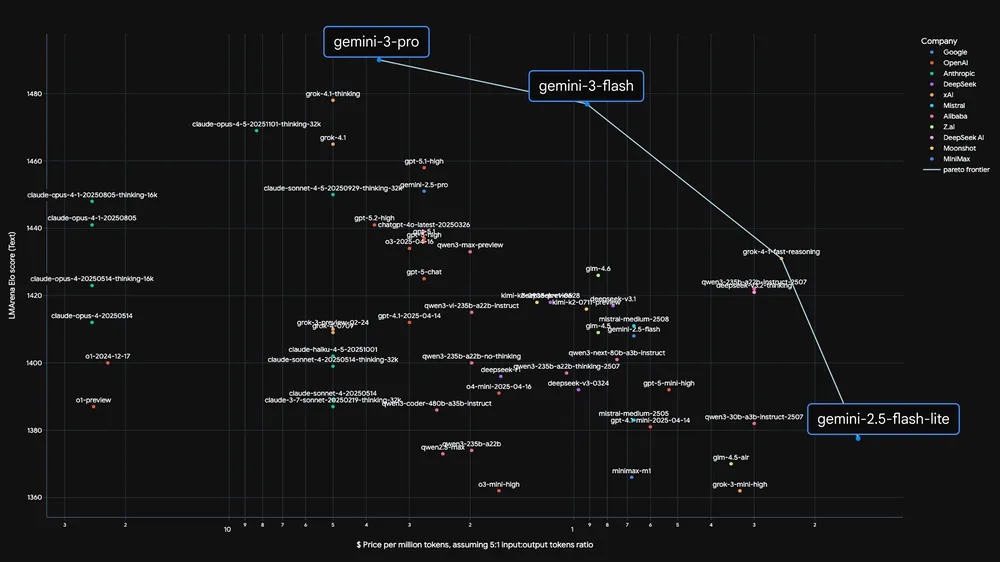
What is interesting about this specific update is how it tries to solve that annoying trade off we always deal with. Usually you have to choose between a model that is fast but a bit "dim" or one that is brilliant but takes ages to think. From what I am seeing in the early data and my own tests, Gemini 3 Flash is sitting right in that sweet spot where you get both.
The Benchmarks That Actually Matter
If you are someone who likes looking at the raw numbers, the scores coming out for this model are pretty wild for something meant to be lightweight. Google says it actually beats Gemini 2.5 Pro while being roughly three times faster. Here is a quick look at how it is performing on some of the heavy hitting tests:
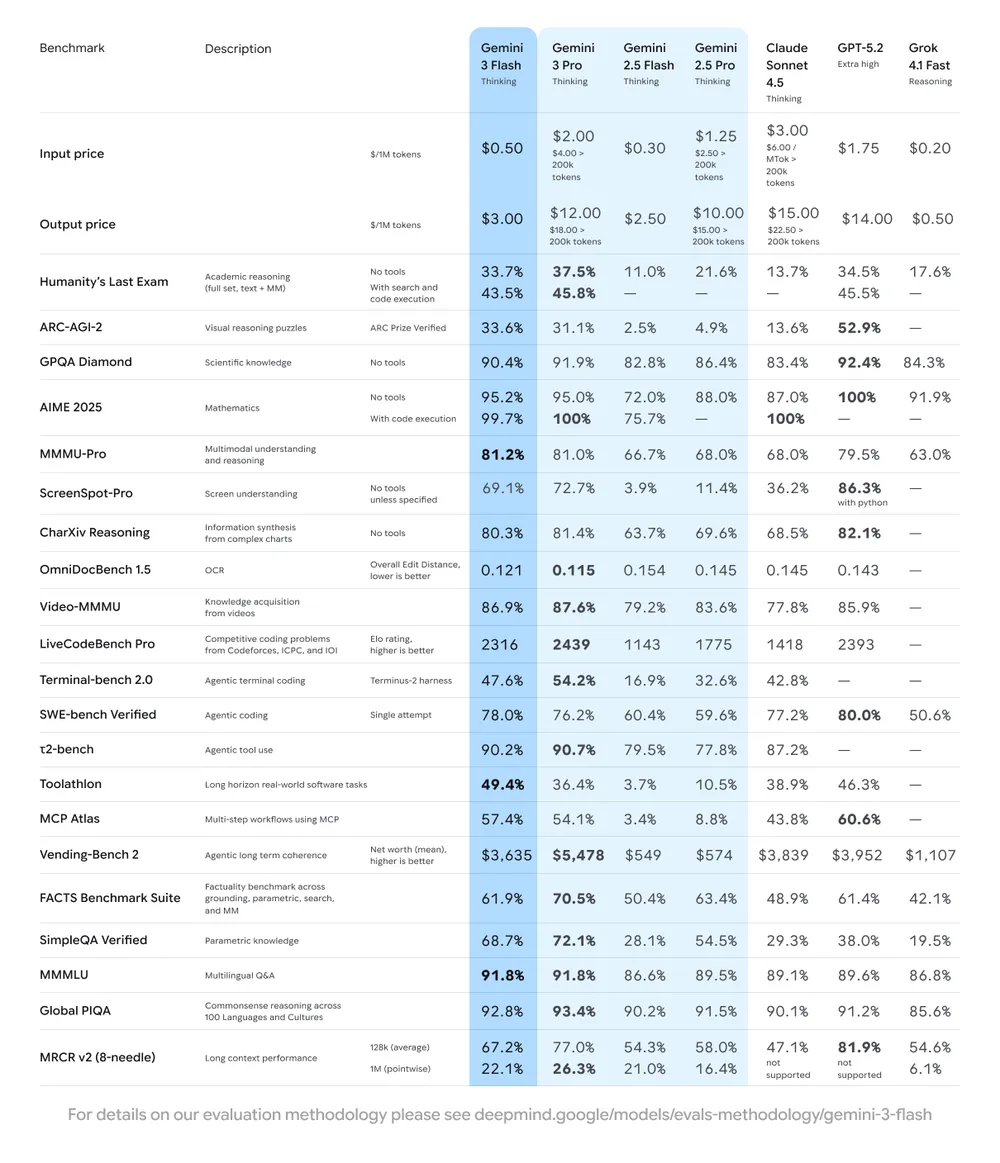
The 78% score on SWE bench is particularly shocking because it actually edges out the Gemini 3 Pro model in some coding scenarios. It seems like the distillation process they used to train Flash on the Pro model's logic really paid off.

Why It Feels Different To Use
Aside from the numbers, there are a few practical things that make this model feel more "human" and useful in a daily workflow.
One of the coolest features is the new Thinking Level toggle. If you are just asking for a quick email draft, you keep it on the standard setting for near instant replies. But if you have a complex logic puzzle or a messy coding bug, you can switch it to Thinking mode. It takes a second longer to process, but the depth of the answer is noticeably better.
It also handles multimodal inputs like a pro. I tried uploading a short video clip of a messy spreadsheet and asked it to extract the data into a table. It didn't just read the text; it understood the layout and context perfectly.
Final Thoughts On The Speed Revolution
It is easy to get caught up in the hype cycles, but I think Gemini 3 Flash is a genuine shift in how we will use these tools. We are moving away from the era where "small" models are just for simple chat. With a 1 million token context window and the ability to process audio, video, and text simultaneously, this feels less like a lite version and more like a primary tool for most tasks.
If you have been sticking with the older versions or other platforms because you thought Flash models were too basic, you might want to give this one a spin. It is surprisingly capable for something so snappy.
Inspire Others – Share Now
Agentic AI Saksham
India’s Only 1st Ever Offline Hands-on program that adds 4 Global Certificates while making you a real engineer who has built their own AI Agents
EV
Saksham
India’s Only 1st Ever Offline Hands-on program that adds 4 Global Certificates while making you a real engineer who has built their own vehicle
Agentic AI LeadCamp
From AI User to AI Agent Builder — Capabl empowers non-coding professionals to ride the AI wave in just 4 days.
Agentic AI MasterCamp
A complete deployment ready program for Developers, Freelancers & Product Managers to be Agentic AI professionals