

In the world of content marketing, speed is everything. However, manually copying blog content into email templates is a repetitive chore that invites formatting errors and drains creative energy.
Today, we’re breaking down a sophisticated automation workflow built in n8n that monitors your RSS feed, uses AI to classify the content, and automatically generates targeted email templates in Brevo.
The Workflow Architecture
The goal is simple: Blog Post → AI Analysis → Targeted Email Template.
1. The Trigger: RSS Feed
The journey starts with the RSS Feed Trigger. Instead of checking your site every hour, n8n polls your feed. The moment a new <item> is detected, the workflow springs into action, carrying the URL and metadata of your latest post.

2. Content Extraction & Cleaning
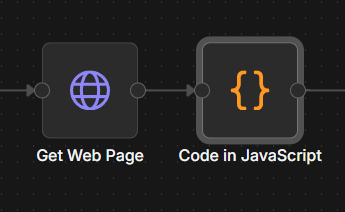
- Get Web Page: We use an HTTP Request node to fetch the full HTML of the blog post.
- Code in JavaScript: Raw HTML is messy. We use a small snippet of JavaScript to strip away the "noise" (headers, footers, ads) and extract the core article text so the AI isn't distracted by sidebar links.
3. Smart Classification with Groq AI
This is where the magic happens. Instead of sending the same generic email to everyone, we use a Text Classifier node powered by the Groq Chat Model.
- Why Groq? It offers incredibly low latency, making the classification happen almost instantaneously.
- The Logic: The AI reads the content and determines the target audience. As seen in the diagram, it categorizes the post into one of three paths:
- Working Professionals (WP)
- Faculty
- All Round (General)

4. Automated Template Creation in Brevo
Once the audience is identified, n8n routes the data to one of three HTTP Request nodes. These nodes talk directly to the Brevo API (https://api.brevo.com/...).
- Dynamic Data: The workflow injects the blog title, a summarized excerpt, and the "Read More" link into a pre-defined Brevo JSON payload.
- Personalization: Because the AI classified the content, the template used for "Faculty" can have a completely different tone or layout than the one for "Working Professionals."
Key Takeaways
By using this setup, you aren't just "sending emails"—you're building a content pipeline. You ensure that the right people get the right content immediately after you hit "Publish," all while keeping your hands off the keyboard.
Inspire Others – Share Now
Agentic AI Saksham
India’s Only 1st Ever Offline Hands-on program that adds 4 Global Certificates while making you a real engineer who has built their own AI Agents
EV
Saksham
India’s Only 1st Ever Offline Hands-on program that adds 4 Global Certificates while making you a real engineer who has built their own vehicle
Agentic AI LeadCamp
From AI User to AI Agent Builder — Capabl empowers non-coding professionals to ride the AI wave in just 4 days.
Agentic AI MasterCamp
A complete deployment ready program for Developers, Freelancers & Product Managers to be Agentic AI professionals